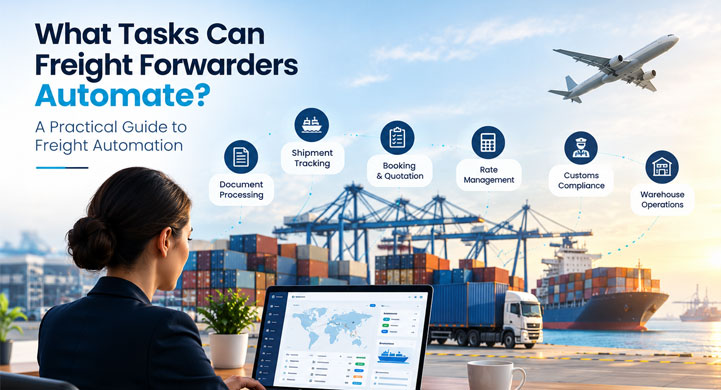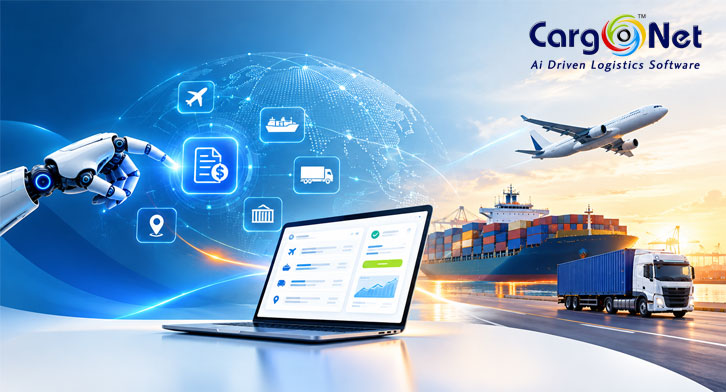

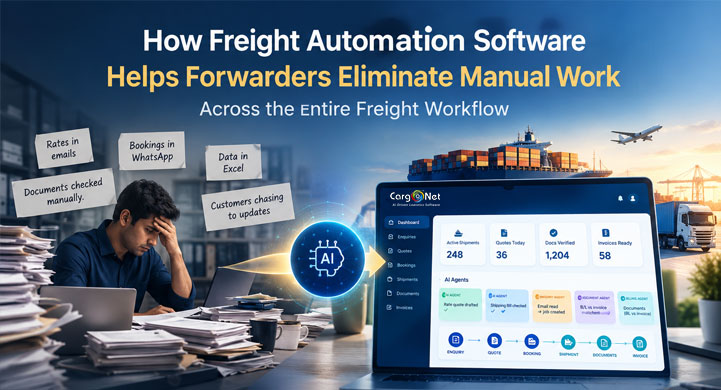
Freight forwarding involves hundreds of operational tasks, but many teams still spend a significant amount of time moving information between emails, spreadsheets, PDFs, portals and internal systems.
Freight automation software helps forwarders reduce this manual work by connecting the entire freight workflow—from enquiry and quotation to booking, documentation, shipment tracking, billing and finance.
Instead of entering the same shipment information multiple times, automation can capture information once, validate it, reuse it across processes and trigger repetitive workflow actions.
The result is not simply less data entry.
It is a more connected, consistent and scalable freight operation.
What Is Manual Work in Freight Forwarding?
Manual work in freight forwarding includes repetitive activities that require employees to collect, enter, copy, check or transfer information between different systems and sources.
Common examples include:
- Entering customer enquiries
- Copying freight rates from emails or spreadsheets
- Preparing quotations
- Re-entering booking information
- Processing freight documents
- Updating shipment milestones
- Checking container status
- Sending routine customer updates
- Preparing invoices
- Reconciling operational and financial information
- Creating reports
- Following up on missing information
The problem becomes bigger as shipment volumes increase.
A single shipment can move through multiple teams, and each team may need the same information.
This creates a simple but expensive problem:
The same information gets entered more than once.
Why Do Freight Forwarders Have So Much Manual Work?
Freight operations depend on information from many sources:
- Customer emails
- Carrier rate sheets
- PDFs
- Excel files
- Booking confirmations
- Bills of Lading
- Packing Lists
- Commercial Invoices
- Shipping portals
- Customer communication
- Agent communication
- Internal systems
The information often exists.
The problem is that it may not be connected or structured for reuse.
For example:
Customer enquiry
↓
Sales enters information
↓
Pricing searches for rates
↓
Quotation is prepared
↓
Customer approves
↓
Operations creates shipment
↓
Documentation processes documents
↓
Finance collects billing information
↓
Sales enters information
↓
Pricing searches for rates
↓
Quotation is prepared
↓
Customer approves
↓
Operations creates shipment
↓
Documentation processes documents
↓
Finance collects billing information
If every department re-enters information, employees spend time moving data instead of managing freight.
Digital trade initiatives increasingly emphasize structured, reusable and interoperable data because information can be exchanged and reused across organizations and processes.
How Does Freight Automation Software Reduce Manual Work?
Freight automation reduces manual work through four basic mechanisms:
1. Capture information
Information can be captured from emails, documents, forms and other sources.
2. Structure information
Unstructured information can be converted into usable operational data.
3. Reuse information
Data captured during one stage can be used in downstream processes.
4. Automate actions
Rules, events and AI can trigger repetitive workflow actions.
This changes the operating model from:
People moving information → systems moving information
Where Can Freight Automation Eliminate Manual Work?
A typical freight workflow looks like:
Enquiry → Pricing → Quotation → Booking → Shipment → Documentation → Tracking → Delivery → Billing → Payment
Each stage creates opportunities to reduce repetitive work.
Freight workflow
Typical manual task
Automation opportunity
Enquiry
Reading and entering customer details
Capture enquiry information
Pricing
Searching multiple rate sources
Centralize and reuse rates
Quotation
Re-entering shipment information
Generate quotes from existing data
Booking
Creating shipment records
Carry approved data forward
Documentation
Reading PDFs and entering fields
AI document processing
Operations
Updating milestones
Workflow-based updates
Tracking
Checking multiple sources
Centralized shipment visibility
Customer service
Sending routine updates
Automated notifications
Warehouse/CFS
Updating cargo information
Connected operational workflows
Billing
Collecting shipment information
Connect operations and finance
Reporting
Manually compiling information
Use connected operational data
The opportunity is therefore not one isolated automation.
It is workflow automation across the shipment lifecycle.
1. Automating Freight Enquiry Management
The freight process often begins with an email or customer enquiry.
It may contain:
- Origin
- Destination
- Cargo description
- Container type
- Quantity
- Incoterms
- Required date
- Customer information
Traditionally, an employee reads the email and manually enters the information.
An automated workflow can help turn that incoming information into a structured enquiry.
Manual workflow
Email → Read → Copy → Enter → Check
Automated workflow
Email → Extract → Validate → Create enquiry
This allows sales teams to spend more time responding to customers instead of repeatedly entering data.
2. Automating Freight Pricing and Quotation Work
Pricing is often one of the most time-sensitive activities in freight forwarding.
Rates may come from:
- Shipping lines
- Airlines
- Co-loaders
- Agents
- Rate sheets
- PDFs
- Spreadsheets
- Internal rate databases
The challenge is not only finding the right rate.
It is turning that information into an accurate quotation quickly.
Automation can connect enquiry information with pricing and quotation workflows so employees do not have to recreate the shipment information at every step.
For forwarders evaluating ways to improve this process, a connected freight automation software workflow can help bring pricing, quotation and downstream operations into the same operational flow.
The objective is:
Enquiry → Rate → Quote
with fewer manual handoffs.
3. Reducing Duplicate Data Entry During Booking
Once a customer accepts a quotation, the booking process begins.
Without connected workflows, employees may need to enter the same information again:
- Customer
- Origin
- Destination
- Cargo
- Container
- Carrier
- Commercial terms
This creates duplicate work and increases the possibility of inconsistent information.
A connected workflow can carry relevant information forward:
Enquiry → Quote → Approval → Booking → Shipment
This follows one of the most important principles of freight automation:
Capture information once and reuse it throughout the workflow.
Digital shipping standards are also moving toward greater interoperability and standardized data exchange between shipping stakeholders. DCSA describes this as a foundation for better communication and collaboration across the container-shipping ecosystem.
4. Using AI to Reduce Freight Document Processing
Freight forwarding generates large volumes of documents.
Examples include:
- Bill of Lading
- Commercial Invoice
- Packing List
- Booking Confirmation
- Shipping Bill
- Arrival Notice
- Delivery Order
Manual document processing often looks like:
Receive PDF → Open → Read → Find information → Copy → Enter → Verify
This is repetitive and time-consuming.
AI-powered document processing can help extract information from documents and convert unstructured content into structured data.
A typical workflow can look like:
Document → Classification → Extraction → Validation → Workflow
The objective is not simply to “read” a PDF.
The objective is to turn document information into usable operational data.
OCR vs AI Document Processing: What Is the Difference?
OCR and AI document processing are related, but they solve different parts of the problem.
OCR primarily converts text from scanned images or documents into machine-readable text.
AI-powered document processing can go further by helping identify the document type, understand relevant fields, extract information and apply that information within a workflow.
For freight forwarders processing multiple document types, this distinction is important.
The real goal is:
Document → Data → Decision → Action
rather than simply:
Document → Text
5. Automating Shipment Operations
After booking, operations teams manage multiple shipment milestones.
These may include:
- Booking confirmation
- Cargo readiness
- Container allocation
- Documentation status
- Vessel departure
- Transshipment
- Arrival
- Delivery
When employees manually update every stage, operational workload increases.
Workflow automation can trigger actions based on:
- Shipment events
- Status changes
- Rules
- Dates
- Missing information
- Exceptions
For example:
Shipment event → Status update → Workflow action → Notification
This allows operations teams to spend more time managing exceptions rather than routine updates.
6. Reducing Manual Shipment Tracking
One of the most common questions in freight forwarding is:
“Where is my shipment?”
If information is spread across carrier portals, emails, spreadsheets and internal systems, answering this question may require manual research.
A connected tracking workflow can make shipment information easier to access and distribute.
The benefit is not only visibility.
It is reducing the manual effort required to provide that visibility.
DCSA’s standards work includes areas such as Track & Trace, booking and Bill of Lading data, reflecting the industry’s broader move toward standardized digital information exchange.
7. Automating Customer Shipment Updates
Customer service teams often handle repetitive questions:
- Has the shipment departed?
- Where is the container?
- Has the vessel arrived?
- Is the document ready?
- When will delivery happen?
- Has the shipment reached the destination?
If the information already exists in the operational system, automated workflows can help provide routine updates.
This creates a useful division:
Software handles repetitive information.
People handle conversations, problems and exceptions.
8. Connecting Warehouse and CFS Operations
Freight forwarding does not stop at transportation.
Warehouse and CFS operations can also involve substantial manual work:
- Cargo receiving
- Cargo identification
- Inventory updates
- Cargo movement
- Release status
- Dispatch
- Operational reporting
When warehouse information is disconnected from freight operations, employees may need to transfer information manually.
A connected workflow can reduce this duplication.
CargoNet also provides a dedicated warehouse management workflow covering inbound, storage and outbound warehouse activities.
This is particularly important for businesses managing freight alongside warehouse or CFS operations.
9. Connecting Freight Operations With Finance
Another major source of manual work appears between operations and finance.
Finance may need information about:
- Shipments
- Customers
- Charges
- Vendor costs
- Additional expenses
- Taxes
- Billing status
When this information is scattered, finance teams may have to chase operational teams or reconstruct shipment information.
A connected workflow creates a clearer path:
Shipment execution → Charges → Invoice → Collection → Reconciliation
CargoNet’s platform includes operational and finance capabilities designed to connect freight processes with billing and financial workflows.
The goal is simple:
Finance should receive the information it needs from the workflow rather than rebuilding it manually.
What Is the Biggest Benefit of Freight Automation?
The biggest benefit is not that one task becomes faster.
It is that information can be reused instead of repeatedly recreated.
Consider a shipment enquiry.
Disconnected workflow
Customer email
↓
Sales enters information
↓
Pricing enters information
↓
Operations enters information
↓
Documentation enters information
↓
Finance requests information
↓
Sales enters information
↓
Pricing enters information
↓
Operations enters information
↓
Documentation enters information
↓
Finance requests information
Connected workflow
Customer information captured
↓
Validated
↓
Used for pricing
↓
Used for booking
↓
Used for operations
↓
Used for documentation
↓
Used for billing
↓
Validated
↓
Used for pricing
↓
Used for booking
↓
Used for operations
↓
Used for documentation
↓
Used for billing
This is the difference between automating tasks and automating the flow of work.
What Freight Processes Should Forwarders Automate First?
Forwarders do not need to automate everything at once.
Start with processes that are:
- High volume
- Repetitive
- Time-consuming
- Rule-based
- Prone to errors
- Dependent on information that already exists elsewhere
Good starting points include:
1. Enquiry data capture
Reduce manual entry from customer emails and requests.
2. Quotation workflows
Reduce repeated entry between enquiry, pricing and quotation.
3. Document processing
Use AI to extract information from repetitive freight documents.
4. Shipment updates
Automate repetitive milestone and status actions.
5. Customer notifications
Automate routine updates triggered by shipment events.
6. Billing workflows
Connect operational information with finance.
The objective is not to automate everything immediately.
It is to remove the highest-value repetitive work first.
Where Does AI Fit Into Freight Automation?
Traditional automation works best when rules are predictable.
For example:
If shipment status changes → update milestone.
But freight information is not always structured.
An email may contain several shipment details in different formats.
A PDF may have a different layout from another document.
A customer may describe a shipment using natural language.
This is where AI can complement workflow automation.
AI can help with:
- Email understanding
- Document extraction
- Document classification
- Data validation
- Information matching
- Missing-data detection
- Exception identification
- Shipment summaries
- Customer response assistance
- Workflow actions
The distinction is important:
Automation moves work through defined workflows.
AI helps software understand information.
Together, they can automate a wider range of freight processes.
Does Freight Automation Replace Employees?
No.
The purpose of freight automation is not to remove human expertise.
It is to reduce repetitive administrative work.
People should continue handling:
- Complex pricing
- Customer negotiations
- Exception resolution
- Compliance-sensitive decisions
- Relationship management
- Problem solving
- Unusual shipment situations
A better model is:
Automate repetitive work.
Assist complex work.
Escalate important decisions.
This lets freight professionals focus on work that requires judgment and experience.
How Can a Freight Forwarder Identify What to Automate?
Start by mapping the complete workflow.
Ask:
Where does information enter the business?
Email? PDF? Spreadsheet? Portal? Form?
How many times is the same information entered?
Every repeated entry is a potential automation opportunity.
Which documents are processed repeatedly?
These may be strong candidates for AI document processing.
Where do departments hand work to each other?
Look at:
Sales → Pricing → Operations → Documentation → Finance
Which activities follow predictable rules?
These are good candidates for workflow automation.
Which activities require interpretation?
These may benefit from AI.
Where are employees spending time searching for information?
Information retrieval is often a hidden source of manual work.
How Should Forwarders Measure Automation Success?
Automation should be measured using operational outcomes.
Productivity
- Manual touches per shipment
- Data-entry time
- Administrative workload
- Number of repetitive tasks
Speed
- Quote turnaround time
- Booking processing time
- Document processing time
- Billing turnaround time
Data quality
- Data-entry errors
- Duplicate records
- Missing information
- Rework
Customer experience
- Response time
- Quote response time
- Shipment update response time
- Exception resolution time
The key question is:
How much unnecessary work has been removed from the freight workflow?
What Does an Automated Freight Workflow Look Like?
A connected freight workflow can look like:
Customer Enquiry
↓
Information Captured
↓
Rate & Pricing
↓
Quotation
↓
Customer Approval
↓
Booking
↓
Shipment Creation
↓
Document Processing
↓
Shipment Execution
↓
Tracking & Milestones
↓
Delivery
↓
Billing
↓
Payment & Reconciliation
↓
Information Captured
↓
Rate & Pricing
↓
Quotation
↓
Customer Approval
↓
Booking
↓
Shipment Creation
↓
Document Processing
↓
Shipment Execution
↓
Tracking & Milestones
↓
Delivery
↓
Billing
↓
Payment & Reconciliation
At every stage, relevant information should move forward rather than being recreated.
This is the foundation of a connected freight operation.
Why Interoperability Matters in Freight Automation
Automation becomes more valuable when different systems can exchange information reliably.
A freight forwarder may interact with:
- Carriers
- Ports
- Terminals
- Customs systems
- Customers
- Agents
- Warehouses
- Transport providers
- Finance systems
If each system uses disconnected data structures, employees often become the bridge between them.
Industry initiatives are working toward common data models and interfaces to improve interoperability. DCSA, for example, develops standards intended to enable digital interoperability between carriers, ports, terminals, shippers, freight forwarders and technology providers.
Similarly, UN/CEFACT promotes structured semantics and coded information for international trade data exchange.
This matters because:
Better data exchange → Less manual transfer → Better automation
Freight Automation Is More Than Reducing Data Entry
Reducing data entry is important.
But the bigger opportunity is changing how work moves through the business.
From manual to connected
Information moves between systems instead of people repeatedly transferring it.
From reactive to proactive
Workflows can trigger actions based on events and exceptions.
From repeated to reusable
Information captured once can support multiple downstream processes.
From searching to visibility
Teams can access operational information without repeatedly looking across different sources.
From task management to workflow management
Employees manage exceptions while software handles repetitive steps.
This is why freight automation should be viewed as an operational transformation, not simply another software feature.
How CargoNet Supports Connected Freight Operations
CargoNet is an AI-powered freight forwarding platform designed to connect key freight processes across sales, pricing, shipment operations, documentation, tracking, warehouse/CFS operations and finance.
Its platform combines freight management with workflow automation, AI-powered capabilities, shipment visibility and operational data.
You can explore the broader CargoNet freight forwarding software platform or see the dedicated freight forwarding automation software solution to understand how these workflows can be connected.
For companies managing warehouse operations alongside freight, CargoNet’s warehouse management software provides another part of the connected workflow.
The objective is straightforward:
Capture information once.
Reduce repetitive work.
Connect workflows.
Give teams better operational visibility.
Reduce repetitive work.
Connect workflows.
Give teams better operational visibility.
Conclusion
Freight forwarding will always require people.
But people should not have to spend their time repeatedly copying information, checking documents, updating multiple systems and searching for shipment status.
A modern freight workflow should work differently:
Information is captured once.
Data is reused across processes.
Repetitive actions are automated.
AI processes unstructured information.
Exceptions reach the right people.
Employees focus on decisions and customers.
Data is reused across processes.
Repetitive actions are automated.
AI processes unstructured information.
Exceptions reach the right people.
Employees focus on decisions and customers.
That is how freight automation can help forwarders eliminate manual work across the entire freight workflow.
The goal isn’t to automate people.
The goal is to automate the work that keeps people from doing their best work.
The goal is to automate the work that keeps people from doing their best work.
Frequently Asked Questions About Freight Automation
What is freight automation software?
Freight automation software helps freight forwarders automate repetitive processes across the shipment lifecycle, including enquiries, pricing, quotations, bookings, documentation, operations, tracking and billing.
How does freight automation reduce manual work?
It reduces manual work by capturing information digitally, reusing data across processes, automating repetitive workflow actions and using AI to process unstructured information such as emails and freight documents.
What tasks can freight forwarders automate?
Common opportunities include enquiry capture, quotation management, booking creation, document processing, shipment updates, tracking notifications, customer communication, billing and reporting.
Can AI automate freight forwarding operations?
AI can automate or assist information-heavy tasks such as email processing, document extraction, classification, validation, summarization and exception identification. Human oversight remains important for complex or high-impact decisions.
What is the difference between freight automation and freight forwarding software?
Freight forwarding software manages freight processes and operational data. Freight automation focuses on reducing manual intervention within those processes through connected workflows, rules, integrations and AI.
How does automation reduce freight forwarding errors?
Automation can reduce errors by minimizing duplicate data entry, reusing validated information and applying consistent workflow rules. It does not eliminate every error, so validation and human review remain important.
What freight process should a forwarder automate first?
Start with a high-volume, repetitive process that requires significant manual data entry or information transfer. Enquiry capture, quotations, document processing, shipment updates and billing are common starting points.
Does freight automation replace employees?
No. The purpose is to reduce repetitive administrative work so employees can focus on customers, exceptions, decisions and higher-value operational activities.